When to use
Long-running agents feel frozen; users abandon or duplicate work.
Example scenario: Deep Research sidebar: Searching → Reading → Synthesizing → Drafting report.
Anatomy
UI pieces that make this pattern recognizable.
- Step list with states: pending, active, done, failed
- Elapsed time or ETA when possible
- Links to artifacts (sources, files, previews) per step
Guidance
Do
- Update incrementally; animate the active step subtly
- Treat status copy as a streaming narrative—each update answers what changed since the user last looked
- Allow collapse once users trust the run
Avoid
- Do not rely on a generic spinner with no step detail
- Do not let the ledger disappear after completion with no archive
Limitations
When this pattern adds friction or fails to help.
- Step labels that mirror internal tools confuse non-technical users
- Stale ledgers after failures leave users unsure whether work stopped
- Very granular steps can feel performative without artifact links
Build notes
Implementation hints for engineers shipping the pattern.
- Stream step events from orchestration layer
- Support interrupt: stop, edit plan, continue
Examples
Annotated screenshots from production products, with designer critique.
Claude Code
File and command step trace
Context
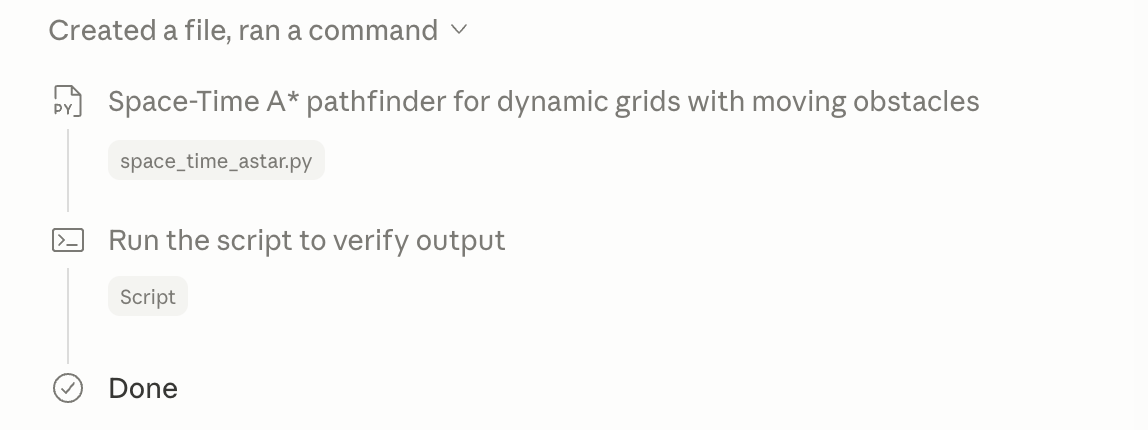
During a coding task, Claude Code collapses the run into a vertical ledger—Created a file, ran a command—with icons, filenames, and a Done terminus so users can scan what changed.
What works
- Steps name artifacts (space_time_astar.py) not opaque tool IDs
- Collapsible header keeps long runs scannable
- Terminal vs file steps use distinct icons
What to improve
- No elapsed time or active-step animation on this view
- Undo links per step would strengthen recovery
Takeaway: IDE agent ledgers should read like a changelog, not a debug log.
ChatGPT Deep Research
Checklist with live status line
Context
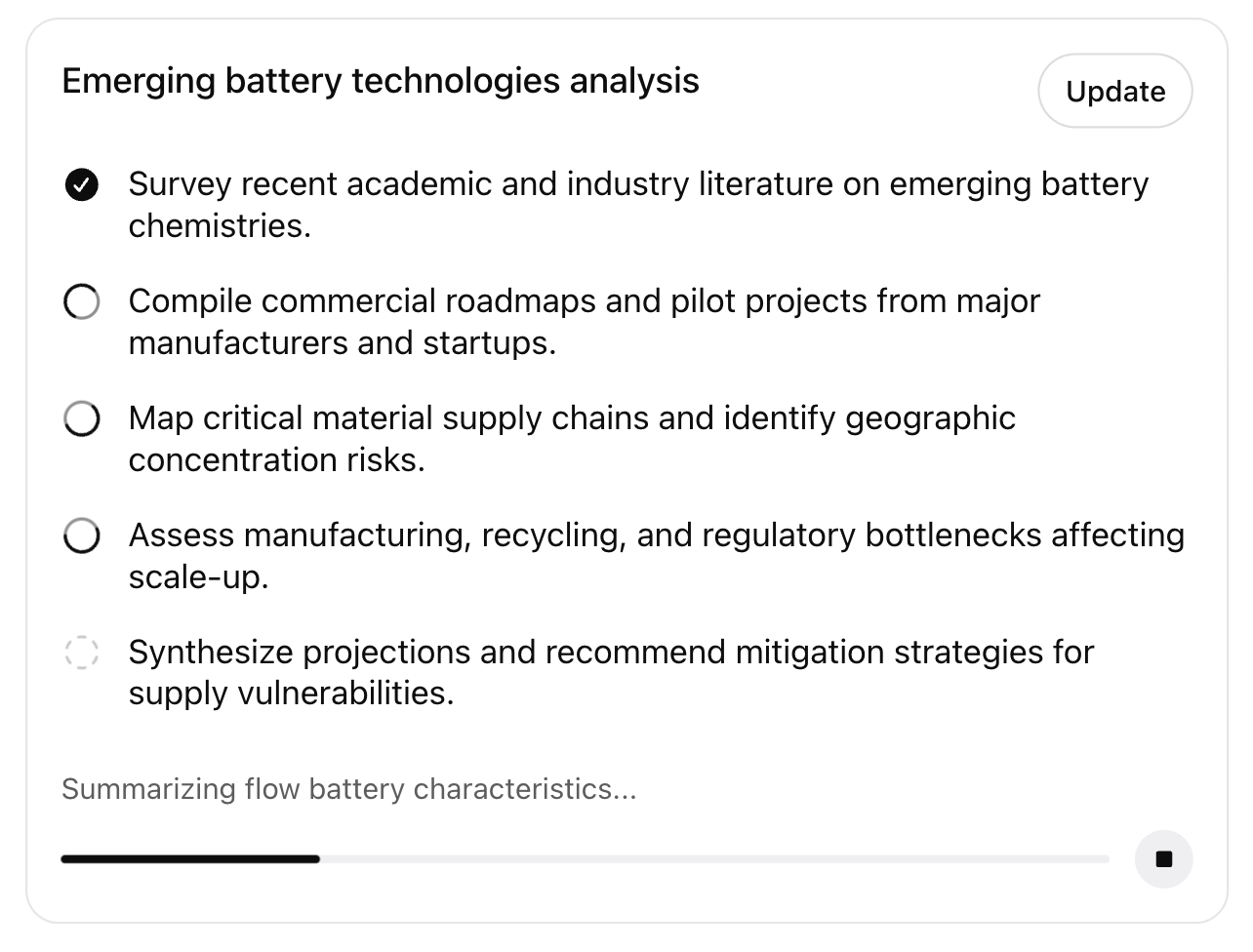
During a battery-technology research run, ChatGPT shows a titled checklist—completed step checked, upcoming steps hollow—with a live status line ('Summarizing flow battery characteristics…') and progress bar below.
What works
- Checklist restates the plan from intent preview
- Status line names the current sub-task, not generic 'Thinking…'
- Stop control stays reachable during long synthesis
What to improve
- Dashed future step styling may read as disabled vs upcoming
- No per-step links to sources gathered so far
Takeaway: Pair structured step lists with streaming status copy so users feel forward motion.
v0
Build task queue
Context
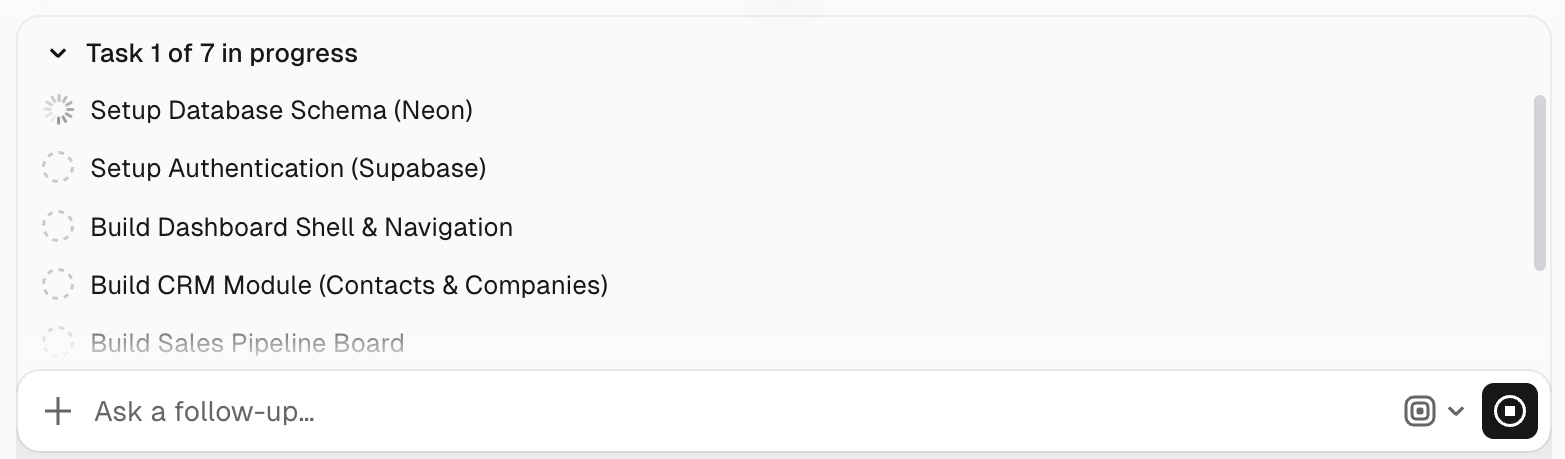
v0 tracks multi-step app builds as a numbered queue—Setup Database Schema in progress, auth and modules pending—with a header summarizing Task 1 of 7.
What works
- Task count sets expectations for long codegen runs
- Active step uses motion; pending steps stay visually distinct
- Steps map to user-meaningful milestones (CRM module, pipeline board)
What to improve
- Scroll truncation hides remaining steps without a summary
- Failed steps need explicit recovery affordances
Takeaway: App builders should expose build phases as a queue, not only chat narration.