When to use
Traditional app chrome forces users to translate goals into clicks before the agent can help.
Example scenario: App builder opens to 'What do you want to build?' with no sidebar.
Anatomy
UI pieces that make this pattern recognizable.
- Large composer with constraint chips or attachments
- Minimal global nav on first run
- Suggested intents, not feature tours
Guidance
Do
- Preserve expert shortcuts for power users
- Show recent intents as reopenable sessions
Avoid
- Avoid bolting a giant prompt box onto a cluttered legacy dashboard
Limitations
When this pattern adds friction or fails to help.
- Power users still need fast paths to settings, history, and assets
- Blank intent canvases intimidate first-time users without examples
- Poor intent parsing sends users into wrong plans downstream
Build notes
Implementation hints for engineers shipping the pattern.
- Parse intent into structured job spec server-side
- Version prompts as first-class artifacts
Examples
Annotated screenshots from production products, with designer critique.
Claude
Personalized intent canvas
Context
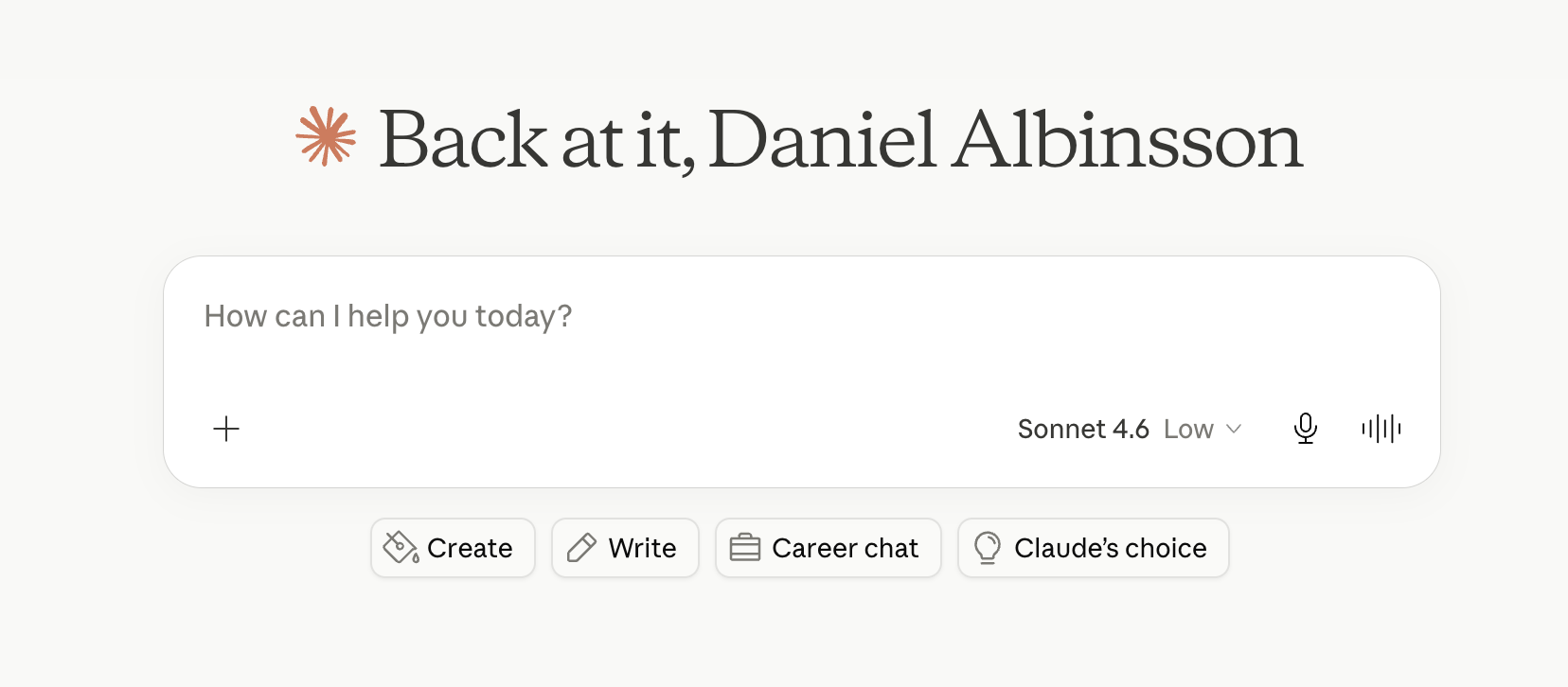
Claude opens to a personalized greeting and a large How can I help you today composer, with quick actions (Create, Write, Career chat) that seed intent without exposing full product chrome.
What works
- Warm greeting + empty canvas signals conversation, not dashboard
- Model selector tucked in composer keeps focus on the goal
- Quick actions map to high-frequency jobs without menu diving
What to improve
- Returning users may want recent threads above the fold
- Quick-action labels need to stay distinct from chat modes
Takeaway: Personalization plus intent chips beats a generic blank prompt for repeat users.
Gemini
Minimal prompt-first entry
Context
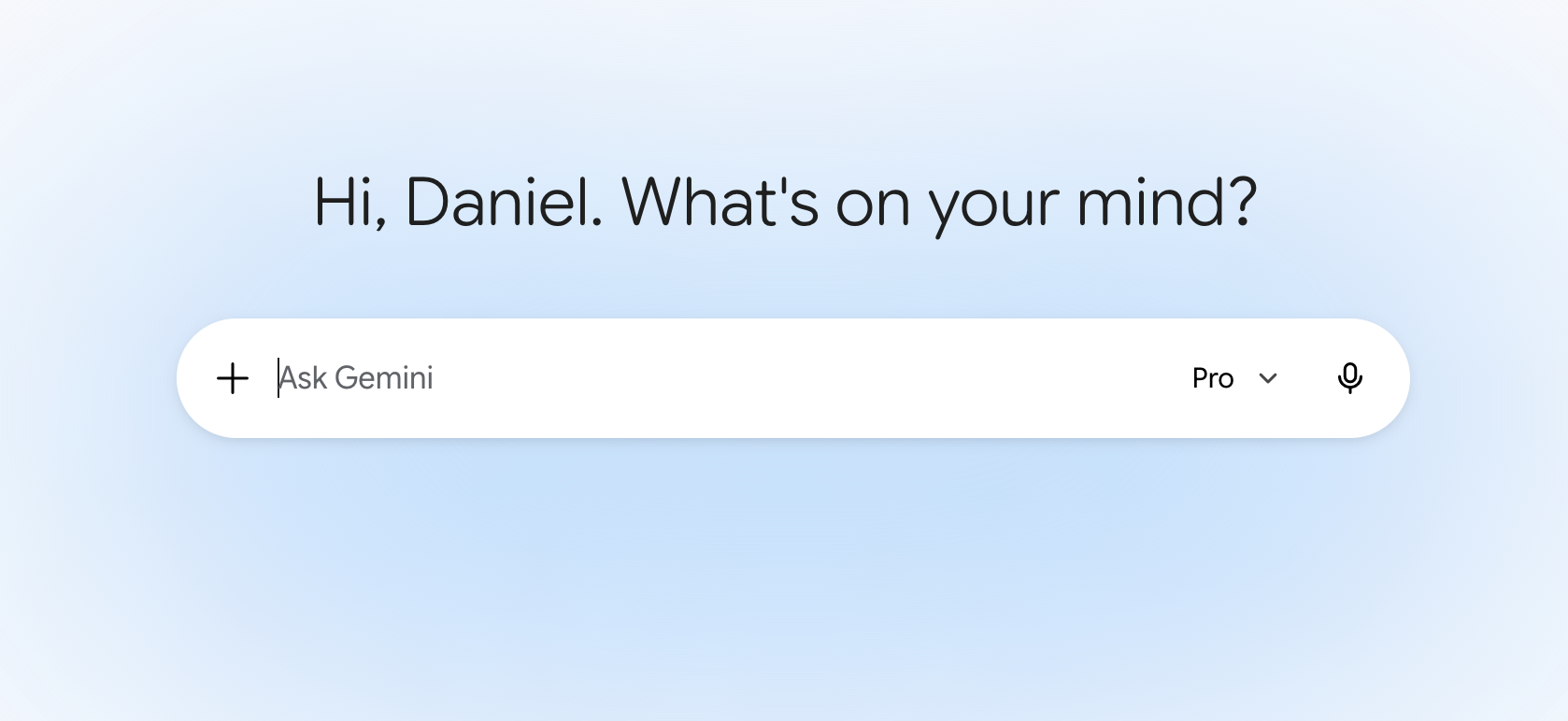
Gemini's home reduces chrome to a greeting and a single Ask Gemini bar with model tier and attachments—no sidebar or feature grid on first open.
What works
- Extreme focus on one input lowers time-to-first-prompt
- Pro tier visible in composer sets capability expectations
What to improve
- No visible suggested intents may intimidate new users
- Workspace features appear only after users know to look
Takeaway: The purest intent-first canvas trades discoverability for speed—pair with examples elsewhere.
v0
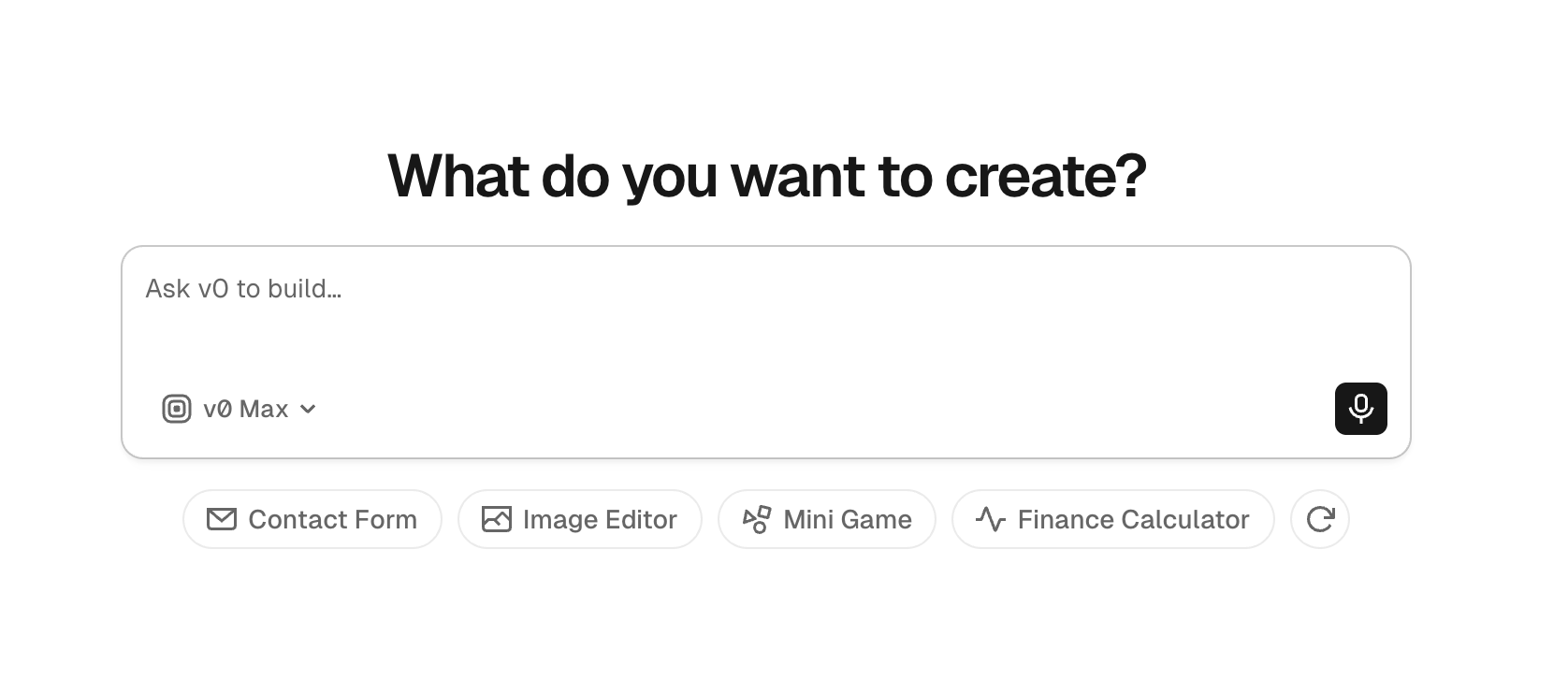
What do you want to create?
Context
v0's entry screen asks What do you want to create? with a single build composer and rotating starter chips (contact form, image editor, mini game)—classic app-builder intent-first layout.
What works
- Headline states the job-to-be-done in user language
- Starter chips teach scope without a product tour
- Model picker in composer keeps experts unblocked
What to improve
- Repeat builders need one-click access to recent projects
- Chip refresh should not hide user's last custom intent
Takeaway: App builders should open on the goal prompt, not a component library.